Follow Apple Music
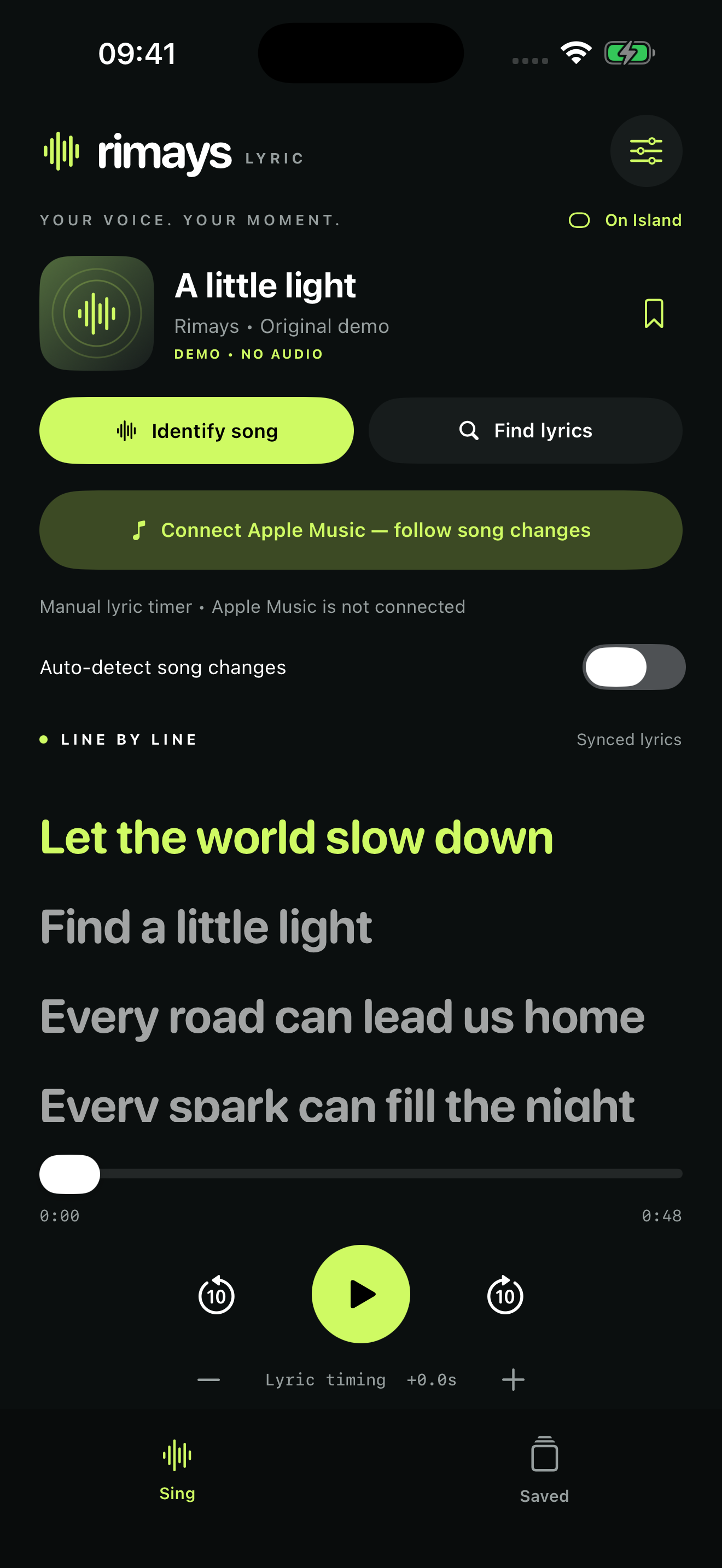
Connect with permission to match the current recording and synchronize available lyrics. No microphone is needed for Apple Music.
YOUR VOICE. YOUR MOMENT.
Rimays Lyric brings timed lyrics to your iPhone. Follow Apple Music, identify a song with Shazam, and keep your favourite lyrics close.
Available for iPhone · Portrait & landscape
MADE FOR YOUR MUSIC
Connect with permission to match the current recording and synchronize available lyrics. No microphone is needed for Apple Music.
Hear something you love? Identify audible music, then find its lyrics. Microphone access is used for recognition.
The active line follows timestamped lyrics. Seek through the song or adjust the lyric timing to suit the recording.
Rotate your iPhone for a landscape layout with controls beside the lyrics.
Save lyrics for repeat use or import your own LRC files. Rimays does not download or supply backing music.
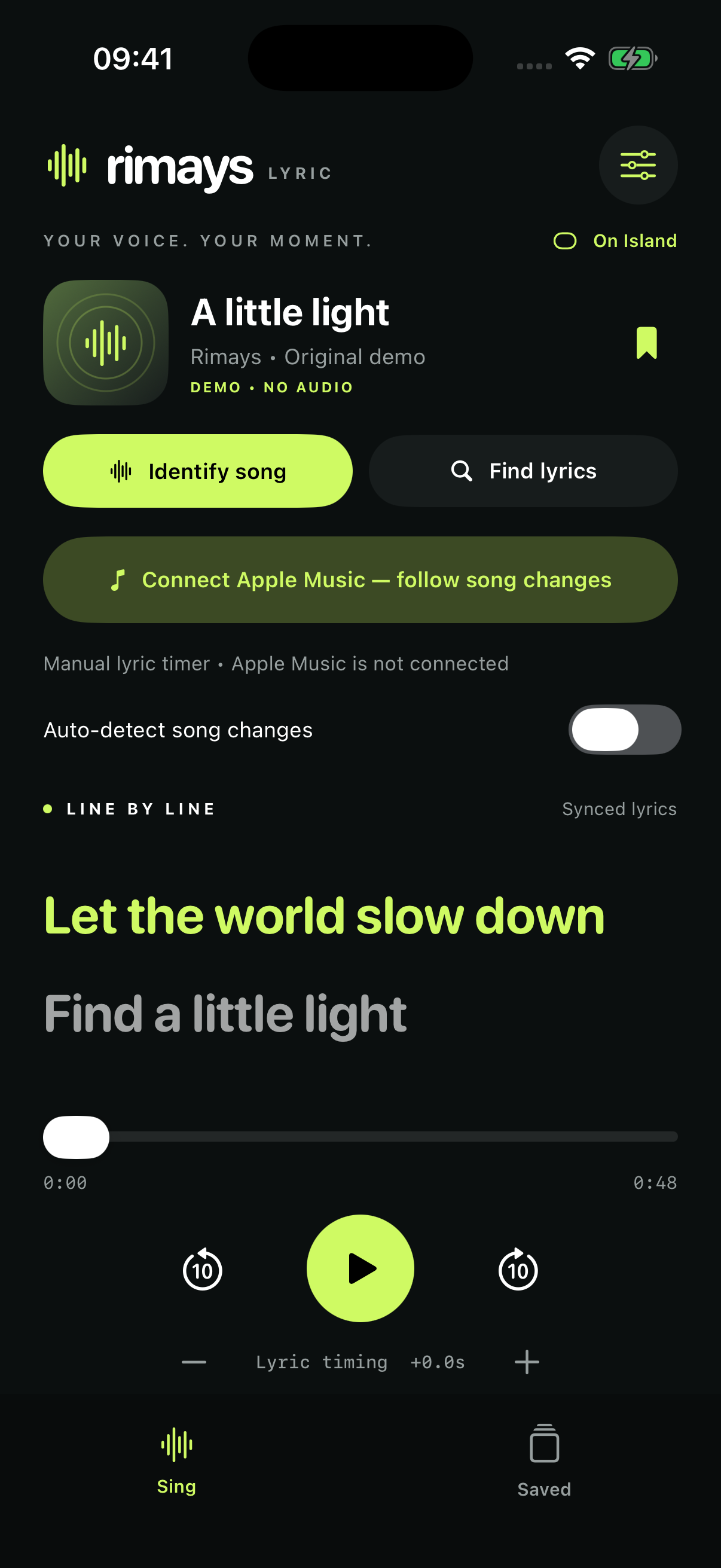
Keep a timed song visible in a Live Activity. Rimays asks Apple to deliver lyric-line updates while the app is suspended.
A LOOK INSIDE
CARPLAY · EXPERIMENTAL
Rimays includes a small Live Activity layout intended for compatible CarPlay systems with iOS 26 or later. It presents the song title and latest received lyric in a compact card.
CarPlay behaviour has not yet been verified in a vehicle. This release does not include a dedicated CarPlay karaoke app or reliable continuous lyric scrolling while the iPhone is suspended.
Set up and check the display while parked. About Live Activities in CarPlay ↗
AVAILABLE ON THE APP STORE
Get the public release directly from Apple on your iPhone.
The App Store shows the current price and availability for your country or region. TestFlight is optional and may contain newer beta features.
RIMAYS LYRIC FOR IPHONE
Help with Apple Music, synchronized lyrics and your app settings.
Email support@rimays.com ↗Include your app version, iOS version and what happened. Please do not send passwords or sensitive recordings.
Open Rimays Lyric, select Connect Apple Music and allow Media & Apple Music access. Play a song in Apple Music, then return to Rimays to follow available timed lyrics.
Lyrics are supplied by LRCLIB. Availability and timing vary by recording. Try Find lyrics to select the correct recording, or adjust Lyric timing. Only timestamped lyrics can follow playback automatically.
Turn off Portrait Orientation Lock in Control Center, then rotate your iPhone. Controls appear beside the lyrics; the controls column can scroll.
Build 17 uses Live Activity push updates to advance the registered timed song while Rimays is suspended. Apple controls delivery timing, so updates may not arrive at an exact interval. A different Apple Music song selected after full suspension appears when iOS next allows Rimays to refresh. The Control Center control is an app shortcut.
Identify song uses Shazam and requires microphone permission. Music must be audible. Optional automatic recognition repeats while Rimays is open; turn it off in Connections to stop repeated listening. Apple Music following does not need the microphone.
Save a song for offline use. You can import LRC files in Connections. Import only files you are entitled to use. Rimays does not provide backing music.
LAST UPDATED 15 OCTOBER 2026
Rimays Lyric is provided by Mohamad Syamir Senin. For privacy questions, contact support@rimays.com.
With your permission, the app reads the current Apple Music song and playback position. Song titles, artist names and searches you enter are sent directly to LRCLIB over HTTPS to retrieve lyrics. LRCLIB also receives the IP address and ordinary network metadata needed to handle your request. Rimays does not control LRCLIB’s server retention. See LRCLIB’s documentation.
Song identification uses Apple’s ShazamKit service. Apple states that audio is not shared with Apple and that the audio signatures used for recognition cannot be inverted to reconstruct the audio. Optional automatic recognition repeats while the app is open. You can disable it in Connections and withdraw microphone permission in iOS Settings. See Apple’s ShazamKit information and Apple’s privacy information.
While a timed Live Activity is active, Rimays sends its ActivityKit push token, song title, artist, timed lyric lines, playback anchor and display preferences to lyric.rimays.com over HTTPS. The service uses this information only to calculate and send lyric updates through Apple Push Notification service. The schedule expires after the song plus a short margin, is capped at four hours, and is deleted when the activity ends. This private route is excluded from web access logs.
Settings, saved and imported lyrics, cached search results and playback diagnostics are stored locally. Cached search results are reused for up to seven days; saved lyrics remain until removed. Local diagnostics may include song identifiers, playback positions and the last lyric state. The app does not automatically upload these diagnostic files to Rimays. iOS backups depend on your device settings.
The current App Store version, 1.0.1, has no advertising SDK. The upcoming version 1.0.2 introduces Google AdMob banner ads and an optional one-time Remove Ads purchase. Customers whose original paid download was build 30 or earlier retain ad-free access. The App Store shows the price and availability for your region.
In version 1.0.2, advertising starts only after the app checks ad-free access and Google’s consent status permits ad requests. Ads are requested as non-personalized, publisher first-party ID is disabled, and the app does not request access to Apple’s advertising identifier. Google may still receive your IP address and approximate location, app or device identifiers, ad interactions, crash reports and performance information for advertising, measurement and fraud prevention. Google controls retention of this data. See Google’s privacy policy and AdMob’s data disclosure. Where required, use Ad Privacy Choices in Connections to review your consent.
Apple processes Remove Ads payments. Rimays uses verified StoreKit purchase records to unlock ad-free access and does not receive your payment card details. Restore Purchases in Connections restores eligible purchases for your Apple Account. Ad-free customers do not initialize the advertising SDK.
No Rimays account is required. If you email support, your email address and message are used to respond to your request. Contact support to request deletion of correspondence, subject to any applicable retention obligations.
Apple Music and microphone permissions are optional and can be changed in iOS Settings. Remove saved lyrics in the app or delete the app to remove its local app data. Manage backups separately in your Apple account settings. Live Activities can expose lyric text on the Lock Screen; disable them in the app or iOS settings if you do not want it visible.
This page will be updated when the app’s privacy practices change. The date above identifies the current policy.